Using your phone with your computer
Open alternatives3
Valent is a program that links your phone to your computer so you can see notifications, texts and control media, and share files and links between them. It is for everyday people on Linux desktops who want their phone and computer to work together.
Has 1 of 5 · Phone screen on computer ✗
How many people bookmarked its code on GitHub. It shows how popular it is, not how good it is or how well it replaces the app.
How hard it is to start using it. Easy: install it like a normal app, or use it in your browser. Advanced: you run it on your own server, use the command line, or it is a tool for developers.
Its code changed within the last year, so someone is still looking after it.
Does the whole job.
Ordered by how fully it replaces the app, Verified, setup and, when there are enough, people's votes.
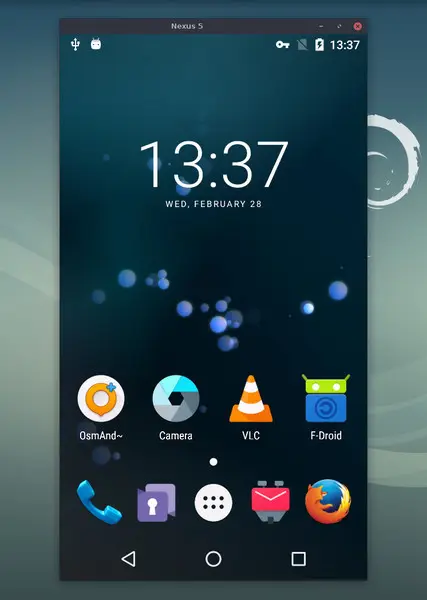
scrcpy is a free program that shows the screen of an Android phone on a computer and lets you control the phone with the computer's keyboard and mouse. It is for people who want to view or control their Android phone from a Windows, Mac or Linux computer without installing anything on the phone.
Has 2 of 5 · Works with iPhone ✗
How many people bookmarked its code on GitHub. It shows how popular it is, not how good it is or how well it replaces the app.
How hard it is to start using it. Easy: install it like a normal app, or use it in your browser. Advanced: you run it on your own server, use the command line, or it is a tool for developers.
Its code changed within the last year, so someone is still looking after it.
Does part of the job.
Ordered by how fully it replaces the app, Verified, setup and, when there are enough, people's votes.
GSConnect is a free add-on for the GNOME desktop on Linux that links a computer with Android phones and other computers. It is for people who want their phone's messages, notifications and files on their computer.
Has 1 of 5
How many people bookmarked its code on GitHub. It shows how popular it is, not how good it is or how well it replaces the app.
How hard it is to start using it. Easy: install it like a normal app, or use it in your browser. Advanced: you run it on your own server, use the command line, or it is a tool for developers.
Its code changed within the last year, so someone is still looking after it.
Does part of the job.
Ordered by how fully it replaces the app, Verified, setup and, when there are enough, people's votes.
YesPartlyNoNot checked yet