Stream Deck and button pads
Open alternatives4
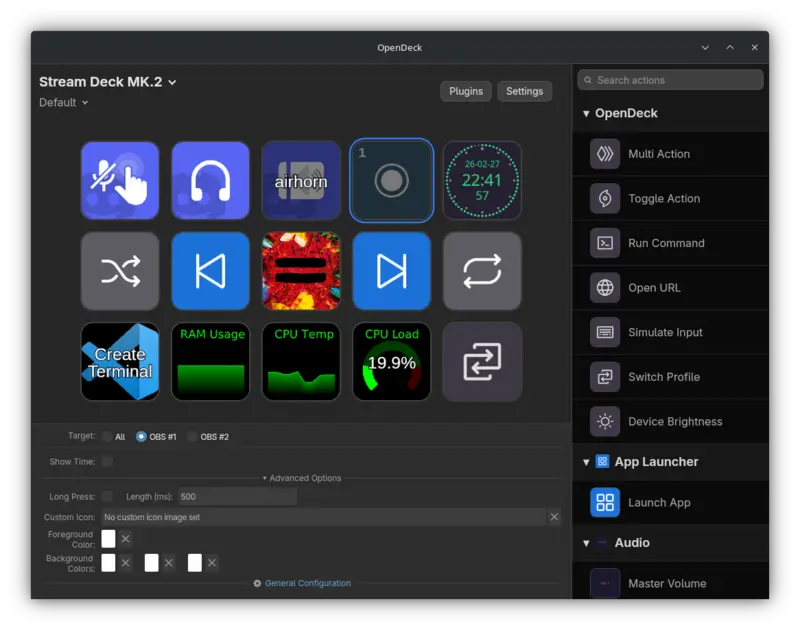
OpenDeck is free software that turns Elgato Stream Deck button pads (and, with a phone app called Tacto, a smartphone) into programmable controls for your computer. It is aimed at everyday users who want to run actions like app shortcuts or media controls from a button pad on Linux, Windows, or macOS.
Has 3 of 6
How many people bookmarked its code on GitHub. It shows how popular it is, not how good it is or how well it replaces the app.
How hard it is to start using it. Easy: install it like a normal app, or use it in your browser. Advanced: you run it on your own server, use the command line, or it is a tool for developers.
Its code changed within the last year, so someone is still looking after it.
Does the whole job.
Ordered by how fully it replaces the app, Verified, setup and, when there are enough, people's votes.
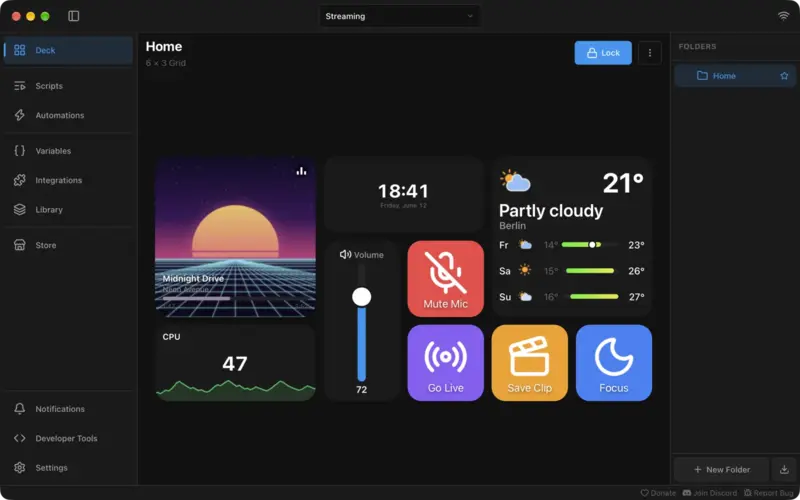
Macro Deck turns a computer or phone into a programmable button pad, letting you run actions and controls from one place. It is for people who want to automate their computer work or control apps and devices with custom buttons.
Has 3 of 6
How many people bookmarked its code on GitHub. It shows how popular it is, not how good it is or how well it replaces the app.
How hard it is to start using it. Easy: install it like a normal app, or use it in your browser. Advanced: you run it on your own server, use the command line, or it is a tool for developers.
Its code changed within the last year, so someone is still looking after it.
Does the whole job.
Ordered by how fully it replaces the app, Verified, setup and, when there are enough, people's votes.
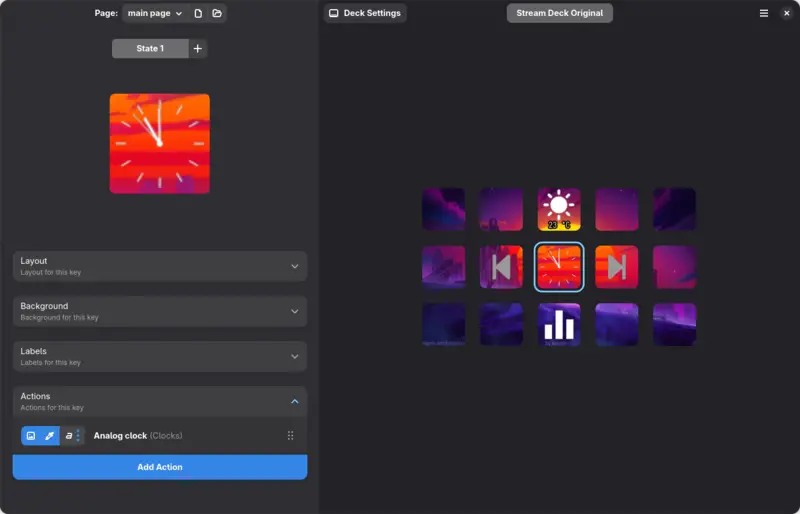
StreamController is a free program for Linux computers that controls Elgato Stream Deck button pads, letting each button run actions like switching pages or triggering tasks. It is for people who use a Stream Deck with a Linux computer and want to customize it.
Has 1 of 6 · Windows, Mac and Linux app ✗
How many people bookmarked its code on GitHub. It shows how popular it is, not how good it is or how well it replaces the app.
How hard it is to start using it. Easy: install it like a normal app, or use it in your browser. Advanced: you run it on your own server, use the command line, or it is a tool for developers.
Its code changed within the last year, so someone is still looking after it.
Does part of the job.
Ordered by how fully it replaces the app, Verified, setup and, when there are enough, people's votes.
Bitfocus Companion is free software that lets you control other programs and devices, such as video, audio and lighting gear, from programmable buttons or a web page. It is aimed at people who run live shows, streams, or studio setups and want one tool to control many devices.
Has 0 of 6
How many people bookmarked its code on GitHub. It shows how popular it is, not how good it is or how well it replaces the app.
How hard it is to start using it. Easy: install it like a normal app, or use it in your browser. Advanced: you run it on your own server, use the command line, or it is a tool for developers.
Its code changed within the last year, so someone is still looking after it.
Does part of the job.
Ordered by how fully it replaces the app, Verified, setup and, when there are enough, people's votes.
| Project | ||||||
|---|---|---|---|---|---|---|
| OpenDeck | · | |||||
| Macro Deck | · | · | · | |||
| StreamController | · | · | · | |||
| Bitfocus Companion | · | · | · | · | · |
YesPartlyNoNot checked yet