Mod Organizer 2 is a free tool that helps people install, organize and remove add-ons (mods) for video games on a Windows computer. It is made for players who like to try out many mods and need a reliable way to undo them.
Has 1 of 7 · Windows, Mac and Linux app ✗
How many people bookmarked its code on GitHub. It shows how popular it is, not how good it is or how well it replaces the app.
How hard it is to start using it. Easy: install it like a normal app, or use it in your browser. Advanced: you run it on your own server, use the command line, or it is a tool for developers.
Its code changed within the last year, so someone is still looking after it.
Does the whole job.
Ordered by how fully it replaces the app, Verified, setup and, when there are enough, people's votes.
Vortex is a free program that helps people install, organize and switch between mods (player-made add-ons) for many video games. It is meant for everyday gamers, with extra controls for experienced modders.
Has 2 of 7
How many people bookmarked its code on GitHub. It shows how popular it is, not how good it is or how well it replaces the app.
How hard it is to start using it. Easy: install it like a normal app, or use it in your browser. Advanced: you run it on your own server, use the command line, or it is a tool for developers.
Its code changed within the last year, so someone is still looking after it.
Does the whole job.
Ordered by how fully it replaces the app, Verified, setup and, when there are enough, people's votes.
Prism Launcher is a free program for starting and organizing several separate installs of the game Minecraft on one computer. It is for Minecraft players who want to keep different versions and setups apart.
Has 1 of 7 · Works with many games ✗
How many people bookmarked its code on GitHub. It shows how popular it is, not how good it is or how well it replaces the app.
How hard it is to start using it. Easy: install it like a normal app, or use it in your browser. Advanced: you run it on your own server, use the command line, or it is a tool for developers.
Its code changed within the last year, so someone is still looking after it.
Does part of the job.
Ordered by how fully it replaces the app, Verified, setup and, when there are enough, people's votes.
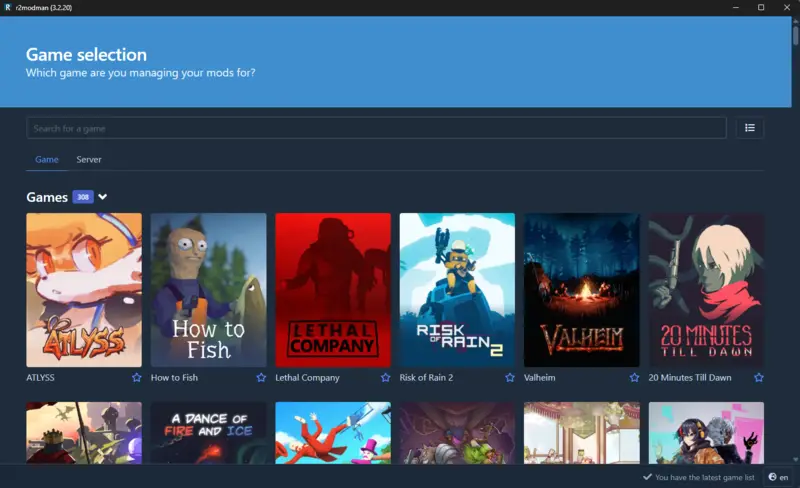
r2modman is a free app that helps people install, switch and update mods for supported video games on their computer. It is aimed at gamers who want to add mods without handling the files by hand.
Has 4 of 7
How many people bookmarked its code on GitHub. It shows how popular it is, not how good it is or how well it replaces the app.
How hard it is to start using it. Easy: install it like a normal app, or use it in your browser. Advanced: you run it on your own server, use the command line, or it is a tool for developers.
Its code changed within the last year, so someone is still looking after it.
Does part of the job.
Ordered by how fully it replaces the app, Verified, setup and, when there are enough, people's votes.
None of these match. Try another device.
Help me choose
I want to pick an open-source replacement for CurseForge app. Below is a list from Open Source Everything (CC BY-SA 4.0), in the order its website shows it. The order is a starting point, not a verdict.
- Mod Organizer 2: Mod Organizer 2 is a free tool that helps people install, organize and remove add-ons (mods) for video games on a Windows computer. It is made for players who like to try out many mods and need a reliable way to undo them. [Easy setup; Windows; replaces fully; GPL-3.0; https://github.com/ModOrganizer2/modorganizer]
- Vortex: Vortex is a free program that helps people install, organize and switch between mods (player-made add-ons) for many video games. It is meant for everyday gamers, with extra controls for experienced modders. [Easy setup; Windows; replaces fully; GPL-3.0; https://github.com/Nexus-Mods/Vortex]
- Prism Launcher: Prism Launcher is a free program for starting and organizing several separate installs of the game Minecraft on one computer. It is for Minecraft players who want to keep different versions and setups apart. [Easy setup; Windows · Mac · Linux; replaces partly; GPL-3.0; https://github.com/PrismLauncher/PrismLauncher]
- r2modman: r2modman is a free app that helps people install, switch and update mods for supported video games on their computer. It is aimed at gamers who want to add mods without handling the files by hand. [Easy setup; Windows · Linux; replaces partly; MIT; https://github.com/ebkr/r2modmanPlus]
Setup rating: "Easy setup" means you can install it like a normal app, use it in a browser. "Advanced setup" means you must run it on your own server or use the command line, or it is a tool for developers.
Full details: https://opensourceeverything.org/data/groups/game-mods.json
Before recommending anything, ask me these three questions (one at a time, in plain words): 1) Which device or devices will I use it on (Windows, Mac, Linux, Android, iPhone)? 2) How comfortable am I with technical setup: only installing apps from a store, happy to follow a step-by-step guide, or comfortable with servers and the command line? 3) What is my budget: free only, or willing to pay for hosting or support? Then recommend one to three projects from this list only, and for each say why, using how fully it replaces the app, its setup rating, and the devices it runs on. If nothing on the list fits me, say so plainly instead of stretching.
Before you build
Read the list of open-source projects at https://opensourceeverything.org/data/groups/game-mods.json. Compare it with my project or idea below. Tell me which projects overlap, what I could reuse instead of rewriting, and what mine does that none of them do.
My project or idea: