Pi-hole is a network-wide ad blocker that runs on your own small computer or server and filters ads and trackers for every device on your home network. It is for people who want to control ads and privacy across all their devices without installing software on each one.
Has 1 of 5
How many people bookmarked its code on GitHub. It shows how popular it is, not how good it is or how well it replaces the app.
How hard it is to start using it. Easy: install it like a normal app, or use it in your browser. Advanced: you run it on your own server, use the command line, or it is a tool for developers.
Its code changed within the last year, so someone is still looking after it.
Does the whole job.
Ordered by how fully it replaces the app, Verified, setup and, when there are enough, people's votes.
Windows · Mac · Linux · AndroidGPL-3.0Replaces partly
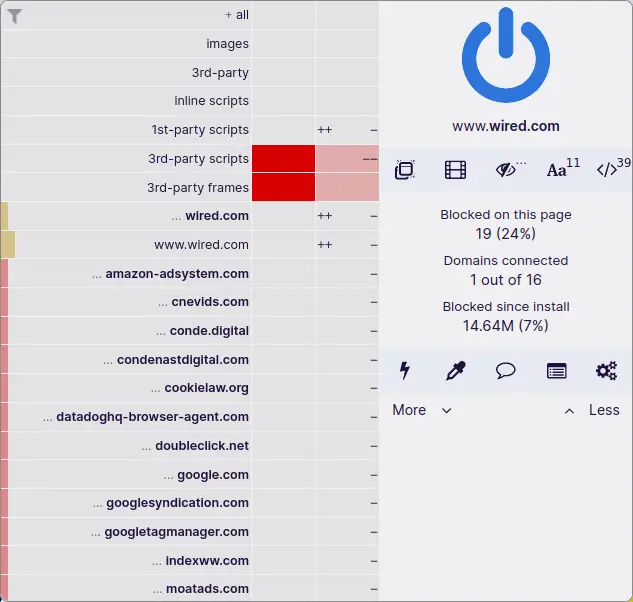
uBlock Origin is a free add-on for web browsers that hides ads, tracking tools and harmful websites so pages load cleaner and with less spying. It is meant for everyday people who browse the web and want a simple setup that works by default.
Has 2 of 5 · Covers every home device ✗
How many people bookmarked its code on GitHub. It shows how popular it is, not how good it is or how well it replaces the app.
How hard it is to start using it. Easy: install it like a normal app, or use it in your browser. Advanced: you run it on your own server, use the command line, or it is a tool for developers.
Its code changed within the last year, so someone is still looking after it.
Does part of the job.
Ordered by how fully it replaces the app, Verified, setup and, when there are enough, people's votes.
Windows · Mac · Linux · iPhoneGPL-3.0Replaces partly
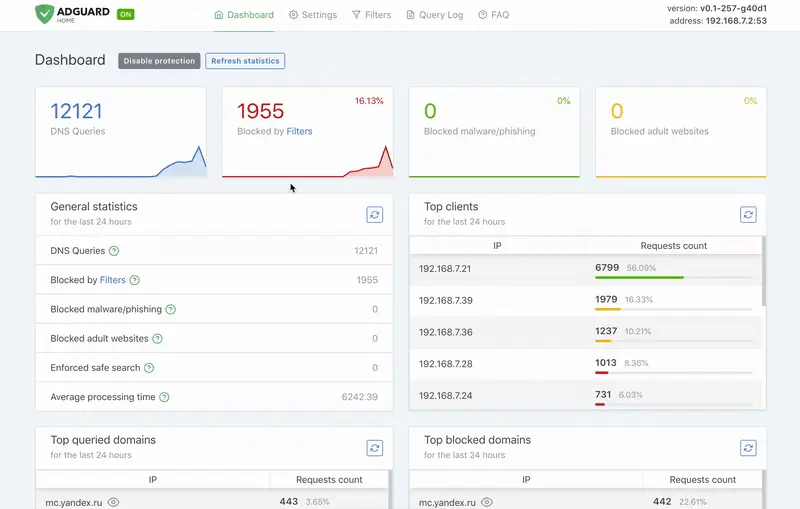
AdGuard Home is a free, open-source server you run on your home network that blocks ads and tracking for every device connected to it, without installing anything on each device. It is for people who want network-wide ad and tracker blocking and are comfortable setting up a small server or device, such as a Raspberry Pi.
Has 3 of 5 · No server needed ✗
How many people bookmarked its code on GitHub. It shows how popular it is, not how good it is or how well it replaces the app.
How hard it is to start using it. Easy: install it like a normal app, or use it in your browser. Advanced: you run it on your own server, use the command line, or it is a tool for developers.
Its code changed within the last year, so someone is still looking after it.
Does part of the job.
Ordered by how fully it replaces the app, Verified, setup and, when there are enough, people's votes.
Blocky is a DNS server that runs on your home network and blocks ads and trackers for every device connected to it. It is aimed at people who run their own home network or home server and want to control it themselves.
Has 2 of 5 · No server needed ✗ +1
How many people bookmarked its code on GitHub. It shows how popular it is, not how good it is or how well it replaces the app.
How hard it is to start using it. Easy: install it like a normal app, or use it in your browser. Advanced: you run it on your own server, use the command line, or it is a tool for developers.
Its code changed within the last year, so someone is still looking after it.
Does part of the job.
Ordered by how fully it replaces the app, Verified, setup and, when there are enough, people's votes.
None of these match. Try another device.
Help me choose
I want to pick an open-source replacement for Circle Home. Below is a list from Open Source Everything (CC BY-SA 4.0), in the order its website shows it. The order is a starting point, not a verdict.
- Pi-hole: Pi-hole is a network-wide ad blocker that runs on your own small computer or server and filters ads and trackers for every device on your home network. It is for people who want to control ads and privacy across all their devices without installing software on each one. [Advanced setup; Linux; replaces fully; EUPL-1.2; https://github.com/pi-hole/pi-hole]
- uBlock Origin: uBlock Origin is a free add-on for web browsers that hides ads, tracking tools and harmful websites so pages load cleaner and with less spying. It is meant for everyday people who browse the web and want a simple setup that works by default. [Easy setup; Windows · Mac · Linux · Android; replaces partly; GPL-3.0; https://github.com/gorhill/uBlock]
- AdGuard Home: AdGuard Home is a free, open-source server you run on your home network that blocks ads and tracking for every device connected to it, without installing anything on each device. It is for people who want network-wide ad and tracker blocking and are comfortable setting up a small server or device, such as a Raspberry Pi. [Advanced setup; Windows · Mac · Linux · iPhone; replaces partly; GPL-3.0; https://github.com/AdguardTeam/AdGuardHome]
- Blocky: Blocky is a DNS server that runs on your home network and blocks ads and trackers for every device connected to it. It is aimed at people who run their own home network or home server and want to control it themselves. [Advanced setup; Windows · Mac · Linux; replaces partly; Apache-2.0; https://github.com/0xERR0R/blocky]
Setup rating: "Easy setup" means you can install it like a normal app, use it in a browser. "Advanced setup" means you must run it on your own server or use the command line, or it is a tool for developers.
Full details: https://opensourceeverything.org/data/groups/ad-blocking.json
Before recommending anything, ask me these three questions (one at a time, in plain words): 1) Which device or devices will I use it on (Windows, Mac, Linux, Android, iPhone)? 2) How comfortable am I with technical setup: only installing apps from a store, happy to follow a step-by-step guide, or comfortable with servers and the command line? 3) What is my budget: free only, or willing to pay for hosting or support? Then recommend one to three projects from this list only, and for each say why, using how fully it replaces the app, its setup rating, and the devices it runs on. If nothing on the list fits me, say so plainly instead of stretching.
Before you build
Read the list of open-source projects at https://opensourceeverything.org/data/groups/ad-blocking.json. Compare it with my project or idea below. Tell me which projects overlap, what I could reuse instead of rewriting, and what mine does that none of them do.
My project or idea: