95kActiveWindows · Mac · LinuxVerifiedMITRuns on your own server
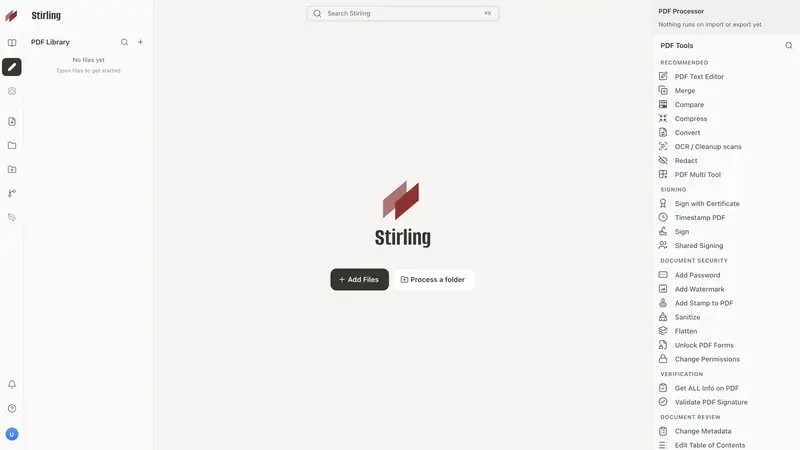
Stirling PDF is a tool for editing, signing, redacting, converting and merging PDF files. It can run as a desktop app, in a web browser, or on your own server so documents stay on your own machines.
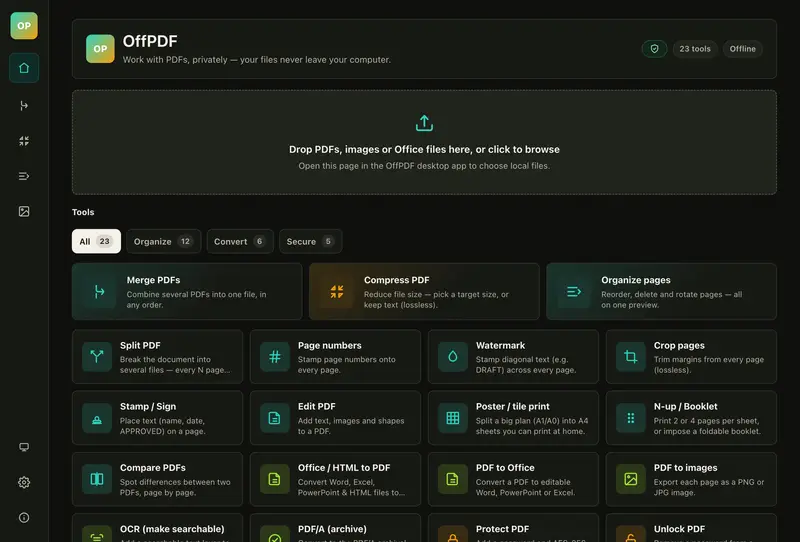
OffPDF is a free desktop app for Windows and Mac that edits, annotates, fills in, signs, merges, splits, converts, compresses and OCRs PDFs. It is for people who want to do this work on their own computer without uploads or accounts.
16kActiveWindows · Mac · Linux · AndroidGPL-2.0Replaces partlyApp
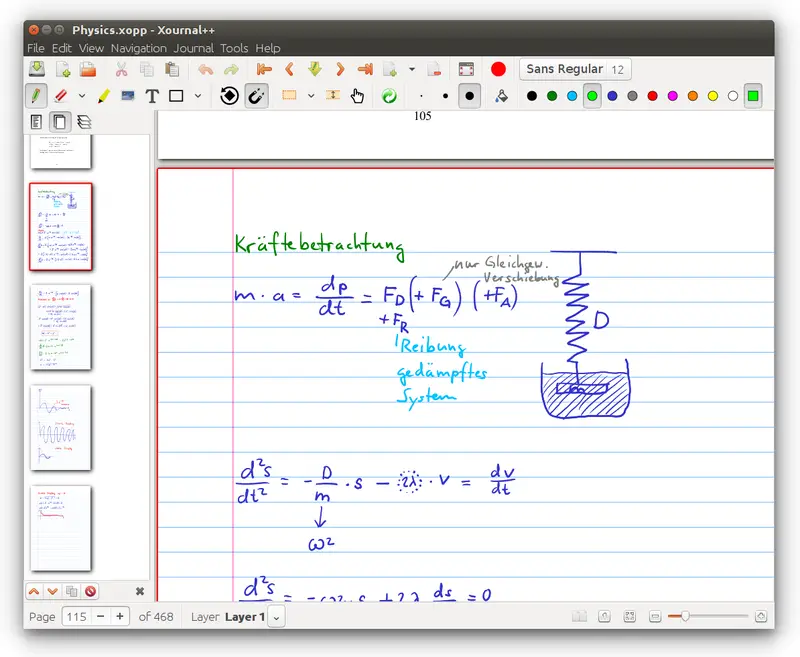
Xournal++ is a desktop app for taking handwritten notes with a pen or stylus, and it can also be used to mark up PDFs. It is for people who want to write, draw and annotate notes on a computer, with an Android version also available.
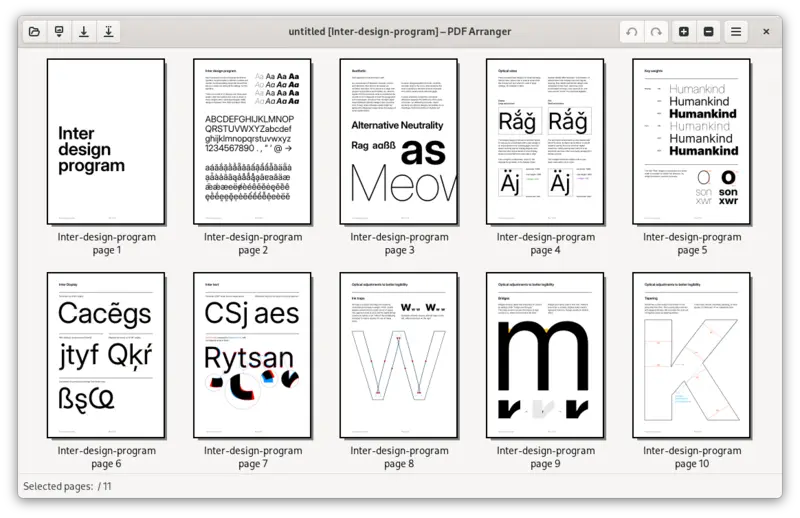
PDF Arranger is a desktop app for merging, splitting, rotating, cropping and rearranging the pages of PDF files through a visual interface. It is aimed at people who need to tidy up or combine PDF documents.
Not on GitHubActiveWindows · Mac · LinuxGPL-2.0-or-laterReplaces partlyApp
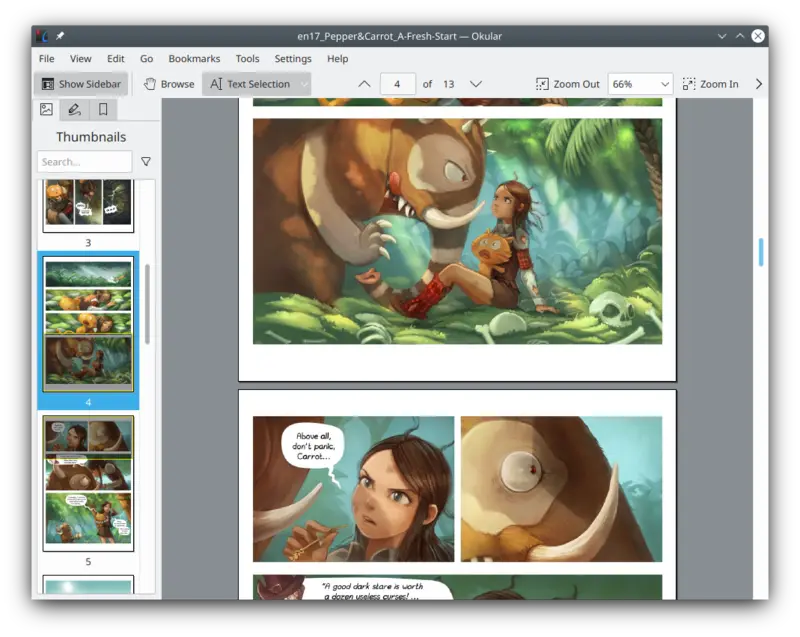
Okular is a document viewer for reading PDFs and other document formats on a computer. It is aimed at people who need to read and annotate documents.
App · Own website · Reading and notes
None of these match. Try another device.
Before you build
Planning something for an alternative to Adobe Acrobat? See what exists first, so you can reuse parts or explain what's different. Paste this into any AI assistant:
Read the list of open-source alternatives at https://opensourceeverything.org/data/groups/pdf.json. Compare it with my project or idea below. Tell me which projects overlap, what I could reuse instead of rewriting, and what mine does that none of them do.
My project or idea:
Here is a list of open-source alternatives to Adobe Acrobat, from Open Source Everything (CC BY-SA 4.0):
- Stirling-PDF (MIT, https://github.com/Stirling-Tools/Stirling-PDF; replaces fully): Stirling PDF is a tool for editing, signing, redacting, converting and merging PDF files. It can run as a desktop app, in a web browser, or on your own server so documents stay on your own machines.
- OffPDF (MIT, https://github.com/McanKul/offpdf; replaces fully): OffPDF is a free desktop app for Windows and Mac that edits, annotates, fills in, signs, merges, splits, converts, compresses and OCRs PDFs. It is for people who want to do this work on their own computer without uploads or accounts.
- Xournal++ (GPL-2.0, https://github.com/xournalpp/xournalpp; replaces partly): Xournal++ is a desktop app for taking handwritten notes with a pen or stylus, and it can also be used to mark up PDFs. It is for people who want to write, draw and annotate notes on a computer, with an Android version also available.
- PDF Arranger (GPL-3.0, https://github.com/pdfarranger/pdfarranger; replaces partly): PDF Arranger is a desktop app for merging, splitting, rotating, cropping and rearranging the pages of PDF files through a visual interface. It is aimed at people who need to tidy up or combine PDF documents.
- Okular (GPL-2.0-or-later, https://invent.kde.org/graphics/okular; replaces partly): Okular is a document viewer for reading PDFs and other document formats on a computer. It is aimed at people who need to read and annotate documents.
Compare it with my project or idea below. Tell me which projects overlap, what I could reuse instead of rewriting, and what mine does that none of them do.
My project or idea: